
Most "best SEO automation tools" lists have the same problem: they are not really about automation. They are a pile of SEO tools with the word automation stapled to the title, and half the entries are things like image compressors and page-speed checkers that automate nothing. Useful tools, wrong list.
So this one is organized differently. Instead of ranking tools one to nineteen as if they compete with each other (they do not, a rank tracker and a workflow builder are not rivals), it is grouped by the job you are trying to automate. Keyword research. Content production. On-page and technical. Reporting. And the layer most lists skip entirely, the orchestration platforms that let you wire the others together into workflows that run without you.
We run these in our own SEO operation, so the takes are opinionated and the prices are current as of 2026. One disclosure up front, in the spirit of not being sneaky: Writimate is our own tool, and it appears in the content section below. I have flagged it clearly and tried to place it as honestly as I would place anyone else's. On to the list.

SEO Automation in Plain Terms
Quick definition so we agree on what we are talking about. An SEO automation tool takes a repetitive part of an SEO workflow, the kind of thing you would otherwise hand to a junior specialist or a virtual assistant, and does it for you: pulling keyword data, running audits, generating meta at scale, tracking rankings, building reports. The point is to remove the mechanical busywork so the humans can spend their time on the parts that actually need a brain.
Which brings us to the one rule that matters before you spend a dollar.
What You Can Automate, and What You Should Not
Here is the line that separates teams who scale with automation from teams who get penalized by it. Automate the repeatable, mechanical work. Do not automate the judgment.
Safe to automate, all day: keyword data collection, SERP scraping, rank tracking, technical crawls, audit reporting, meta generation, internal-link discovery, dashboards, content-decay detection. This is grunt work, and handing it to software is pure upside.
Dangerous to automate: your keyword strategy, and above all your actual content. Google's 2026 spam policies target mass-produced pages with little value, no matter how they are made, and unreviewed AI content shipped at volume is exactly what gets crushed. AI is a genuine accelerator for drafting and optimization when a human owns the accuracy, the expertise, and the final call. It is a liability the moment you let it write the parts that needed a person. Every tool below that touches content is a good servant and a terrible master, and I will flag the ones where that matters most. We dug into that exact line in our piece on agency versus AI automation, and it applies to every tool on this page.
How to Judge an SEO Automation Tool
Before the list, the criteria I actually use, so you can evaluate anything not on it:
- It fits your stack. It should connect to what you already run: Search Console, GA4, your keyword tool, your CMS. A tool that lives on an island creates more manual work than it removes.
- It has an LLM or API layer. The best automation tools let you plug in your own logic, models, or data rather than locking you into one rigid workflow.
- The data is accurate. Hallucinated metrics are worse than no metrics, because you act on them. This matters most for anything doing keyword or analytics work.
- It costs less than the human hours it replaces. The whole justification for automation is simple math: the monthly price should be lower than what the same task would cost in labor. Most clear that bar easily. Some do not.
- Support is real and fast. Many of these tools are young and shipping constantly, which means things break. You want a team that answers.
The Best Tool for Each Job (the short version)
If you only want the answer, here it is. The rest of the article is why.
| The job you want to automate | Best pick | From (per month) |
|---|---|---|
| Build custom automations (technical) | n8n | $24 |
| Build custom automations (no-code) | Gumloop | Free, then $37 |
| Keyword + SERP data at scale | Ahrefs | $129 |
| Automated SERP analysis + long-tail | LowFruits | $30 |
| Content optimization | Surfer | $99 |
| Content decay + refresh alerts | Clearscope | $189 |
| On-page fixes across a CMS | Alli AI | $169 |
| WordPress schema + alt text | Rank Math | $8 |
| Reporting dashboards | Looker Studio | Free |
| AI Overviews + rank tracking | SE Ranking | $65 |
Category 1: Orchestration Platforms (Build Your Own Automations)
This is the category the generic lists forget, and it is the most powerful one. Orchestration platforms do not do a single SEO task. They let you chain other tools, APIs, and language models into custom workflows that run on their own. Once you have one of these, a lot of the single-purpose tools below become optional, because you can build the automation yourself.
1. n8n Best for: technical teams that want maximum control · From $24/mo (also self-hostable)
n8n is a workflow builder with an LLM layer baked in, and its superpower is that you can self-host it and drop into actual code when you need to. It leans low-code rather than no-code, so it rewards slightly technical users, but the payoff is near-unlimited flexibility: pull keywords from an API, cluster them with a model, classify intent, write drafts to a Google Doc, all in one automated chain. The community template library means someone has probably already built the workflow you want. If you can handle a little complexity, this is the most capable option here, and it is what we build most of our own automations on. We wrote a full n8n SEO workflow guide if you want the mechanics.

2. Gumloop Best for: non-technical teams that still want to build agents · Free, then $37/mo
Gumloop is the no-code answer to n8n. Same idea, connecting tools and models into workflows, but built so someone with zero engineering background can assemble AI agents by dragging nodes onto a canvas. It is genuinely capable for marketing and ops automations, and it recently raised a large round, so it is not going anywhere. Pick this over n8n if the phrase "self-host and drop into code" made you wince. The tradeoff is a bit less raw flexibility for a lot more approachability.

3. AirOps Best for: content operations at scale · Free to start
AirOps is orchestration pointed specifically at content: workflows that research topics, generate briefs, and optionally draft, with your brand knowledge and live data feeding in. It is built for content and SEO teams producing editorial pages or programmatic landing pages at volume. The usual caveat applies harder here than anywhere: it is excellent for the operational scaffolding around content, and it should not be turned into a bulk article generator you publish unread.

Honorable mention: Make and Zapier. The original no-code connectors. They lack the deep native LLM layer of the three above, but if you already live in Zapier, it is the connective tissue that ties your CMS, sheets, and task manager together, and that is real automation.
Category 2: Keyword and SERP Automation
What you are automating here is the data-gathering grind: pulling volumes, difficulty, and SERP data, and turning a raw keyword dump into something structured.
4. Ahrefs Best for: the best data plus an API to automate on top of · From $129/mo
Ahrefs has some of the best keyword and backlink data on the market, and for automation the real unlock is the API, which lets you feed that data straight into your own workflows. It is a database, not a hand-holder, so you need to know what you are looking for, but if you do, it is the engine behind most serious automated keyword pipelines. We pull the metrics layer of our own workflows from it, covered in the Ahrefs API integration guide. Note the newer AI-visibility add-on is powerful but pricey.

5. Semrush Best for: the biggest all-in-one, if you want one login for everything · From $199/mo
Semrush is the largest SEO platform, and it now bundles AI-visibility features into its main plan. The experience is sprawling, dozens of sub-tools that take a while to learn, but the data is strong and the coverage is total. For automation, it plays a similar role to Ahrefs as a data source. Choose between them mostly on which interface and data set you prefer, since few teams need both.

6. LowFruits Best for: automated SERP analysis and long-tail discovery on a budget · From $30/mo
LowFruits automates the tedious work of analyzing competitor SERPs to find weak spots and low-competition keywords, and it will also cluster a keyword list you already have. It is cheap, focused, and genuinely good at surfacing hidden long-tail opportunities that the big tools bury. If you want to automate the "where can I actually win" part of research without an enterprise budget, start here.

Category 3: Content Optimization and Production
The highest-leverage and highest-risk category. Everything here speeds up creating and optimizing content. Everything here also needs a human hand on the wheel.
7. Surfer Best for: content optimization against what already ranks · From $99/mo
Surfer compares your draft to the top-ranking pages and tells you where you are thin, which is a simple idea executed very well. Its content editor is the core, and it has grown AI writing and GEO features on top. Use it to optimize human-written content and you will love it. Use its AI writer for thought-leadership or expertise-heavy pieces and you will be disappointed, it is best on more objective, straightforward topics.

8. Clearscope Best for: catching content decay before it costs you · From $189/mo
Clearscope is a premium optimization tool, but its standout automation is content-decay detection: it flags exactly which of your existing pages are losing rankings and traffic so you can refresh them. You can technically do this by hand in Search Console, but Clearscope automates the whole diagnosis. Pricey, and worth it for larger libraries where you cannot manually watch every page.
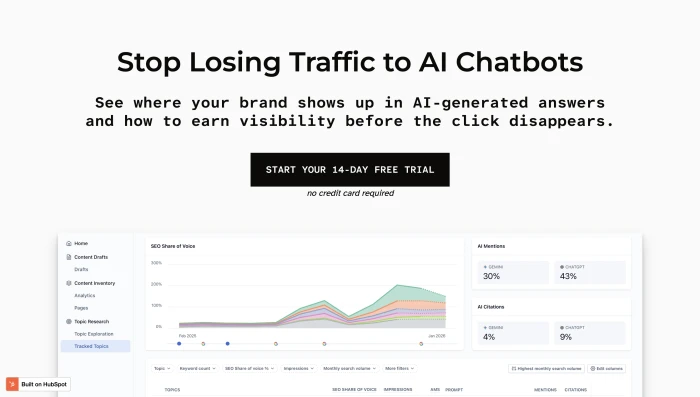
9. Page Optimizer Pro Best for: on-page optimization at the lowest price · From $37/mo
POP does on-page and schema recommendations, integrates with your own ChatGPT API key to act as a writing assistant, and costs a fraction of Clearscope. It is the value pick in this category. Fewer frills, but it covers the on-page essentials and the price is hard to argue with.

10. Writimate (our tool, disclosed) Best for: automating the repeatable parts of SEO content production · See writimate.com
Full transparency, this is ours, so weigh it accordingly. Writimate automates the operational layer of SEO content, the research grunt work, brief scaffolding, and on-page mechanics, so the human can focus on the expertise and the writing. We built it around the same principle as this whole article: automate the repeatable, keep the judgment human. Try it against the others here and decide for yourself, since the honest advice with any content tool is to test a few and keep the one that fits your workflow.

11. Claude and ChatGPT Best for: the drafting and research layer under human review · Free, then $20/mo
The language models themselves are automation tools when you use them right: aggregating research, drafting a structural first pass from a complete brief, generating meta and title variants, turning a subreddit into a list of real questions to answer. They are also where teams get themselves penalized, by publishing the raw output. The rule never changes: the model handles the mechanical draft, a human supplies the accuracy, voice, and expertise. Both are excellent; test which drafts better for your topics.
Category 4: On-Page, Technical, and CMS Automation
Here you are automating the fixes and the crawling, the work that keeps a site technically healthy at scale.
12. Alli AI Best for: automated on-page changes across a whole CMS · From $169/mo
Alli AI installs a snippet on your site and turns your CMS into an approval queue of AI-recommended on-page fixes that go live in minutes once you approve them. That approval step is the important part, it keeps a human in the loop rather than letting changes ship blind. It works with any CMS and is built for agencies managing many sites, which is exactly who gets the most out of it.

13. Rank Math and Yoast Best for: automating WordPress SEO plumbing · Rank Math from $8/mo · Yoast free
If you run WordPress, these plugins automate the unglamorous essentials: schema markup, automatic image alt tags, internal-link counts, on-page checks. Rank Math edges ahead on time-saving features for the price; Yoast is free and has quietly gotten very good. Either one automates a surprising amount of per-page busywork you would otherwise do by hand across hundreds of posts.

14. Screaming Frog Best for: deep technical crawls and audits · About $260/yr (limited free version)
Screaming Frog crawls your site the way Google does and surfaces the technical problems: broken links, duplicate content, metadata issues, and it generates sitemaps. It is a desktop tool, nerdy, and blazingly fast. Not automation in the "runs while you sleep" sense, but it automates what would be days of manual page-by-page checking into one crawl. Expect false positives, because the web is messy, not because the tool is bad.

Category 5: Reporting, Tracking, and Monitoring
The most obviously automatable category, and the one that saves the most recurring time, because reporting is a tax you pay every single week.
15. Looker Studio Best for: free automated reporting dashboards · Free
Google's free dashboard builder pulls in Search Console and other sources to create live, self-updating reports you can brand with a client's logo and colors. Set it up once and reporting stops being a weekly chore, since the client just checks their dashboard. For the price of free, it is the easiest reporting win on this list.
16. SE Ranking Best for: AI Overviews tracking plus client reporting · From $65/mo
SE Ranking is a well-rounded platform whose standout automation in 2026 is AI Overviews rank tracking, which matters more every month as answers move into AI results. It also handles audits and automated client reports at a sharp price. A strong all-round pick if reporting and tracking, including the AI-search layer, is your main automation need.
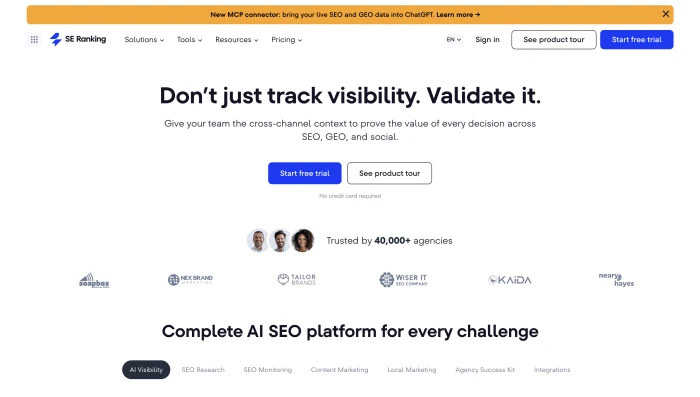
17. SEO Stack Best for: automated Search Console monitoring for agencies · From about £50/mo
SEO Stack plugs into Search Console and automates the job of surfacing issues and opportunities across many client sites in real time, with a traffic-projection feature clients love. Newer and narrower than the big platforms, but genuinely useful if you manage a portfolio of sites and want the monitoring done for you.
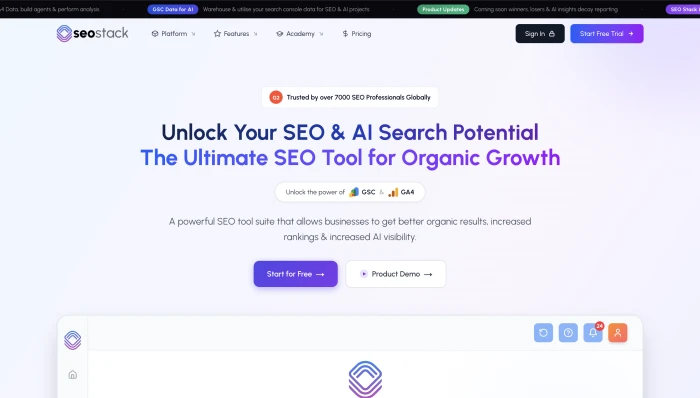
18. AccuRanker Best for: large-scale rank tracking · From $224/mo
If your automation need is tracking thousands of keywords with deep filtering and tagging, AccuRanker is the specialist, and agencies with serious tracking needs rate it highly. It is expensive and single-purpose, so it is overkill for small sites and exactly right for big ones. It has also added AI-prompt tracking as the search world shifts.

Build Your Own Stack, or Buy an All-in-One
The real strategic question underneath this whole list is not "which tool," it is "assemble or buy." Two honest paths.
Buy an all-in-one (Ahrefs, Semrush, SE Ranking) and you get everything in one login, maintained for you, with support. You pay more, and you accept their way of doing things. This is right for most teams that want SEO handled without building anything.
Build your own with an orchestration platform (n8n or Gumloop) plus APIs and a language model, and you get automations perfectly shaped to your process, often at a fraction of the subscription cost, because you are paying for compute rather than a polished interface. You trade money for setup time and a little technical skill. This is right for teams with the appetite to build, and it is where the biggest efficiency gains genuinely live in 2026.
The best-run operations do both: an all-in-one for the data foundation, and an orchestration layer on top to automate the repetitive workflows the all-in-one does not cover. That is the stack we run.
Which Setup Fits Your Situation
- Solo creator or tiny team: a language model ($20/mo) for drafting under your own review, LowFruits ($30/mo) for research, and free Looker Studio for reporting. Add Rank Math ($8/mo) if you are on WordPress. Under $60 a month and it covers the essentials.
- Small in-house SEO or content team: Ahrefs or Semrush for data, Surfer for optimization, and Gumloop to start automating the repetitive workflows without needing a developer.
- Agency: Alli AI for on-page across client sites, AccuRanker or SE Ranking for tracking and AI Overviews, SEO Stack or Looker Studio for automated client reporting, and n8n underneath to build the custom pipelines that become your competitive edge.
- Technical team that wants leverage: n8n plus the Ahrefs or Semrush API plus a language model, and build exactly what you need. Cheapest path to the most powerful automations, if you have the skills.
Are SEO Automation Tools Worth the Cost?
The test is simple arithmetic. If a tool costs less per month than the human hours it replaces, it pays for itself, and most of these clear that bar without breaking a sweat, because they are automating work you would otherwise pay a person by the hour to do.
The nuance, and it is the same one running through this entire article, is that the math only works for genuinely repeatable tasks. Automating rank tracking, reporting, audits, and research is pure savings. Automating the parts of SEO that are actually human, real keyword strategy and content grounded in genuine expertise, does not save money, it manufactures a quality problem you pay for later when rankings slip or a core update calls in the debt. Spend the automation budget on the busywork. Spend the reclaimed time on the thinking. That is the whole equation.
Frequently Asked Questions
What are SEO automation tools?
They are platforms that automate the repetitive parts of an SEO workflow, such as keyword data collection, SERP analysis, technical audits, rank tracking, reporting, and on-page optimization, so teams can spend their time on strategy and expertise instead of manual busywork.
What is the best SEO automation tool?
It depends on the job. For building custom automations, n8n (technical) or Gumloop (no-code) lead. For keyword and SERP data, Ahrefs. For content optimization, Surfer. For reporting, free Looker Studio. There is no single best tool, because a rank tracker and a workflow builder do completely different things.
Can you fully automate SEO?
No, and you should not try. You can automate the repeatable operational work, data, audits, tracking, reporting, and on-page mechanics. You should not automate keyword strategy or content creation, because Google's 2026 spam policies penalize mass-produced, low-value pages, and unreviewed AI content at scale is exactly what gets demoted.
Are free SEO automation tools any good?
Yes, several are genuinely excellent. Looker Studio automates reporting for free, Yoast handles WordPress SEO plumbing for free, and the free tiers of Gumloop and the language models cover real ground. Most teams end up mixing free tools for some jobs with paid tools where the data or depth justifies the cost.
Is it better to buy an all-in-one tool or build your own automations?
Buy an all-in-one if you want SEO handled in one place with support and no setup. Build your own with an orchestration platform like n8n if you want automations shaped exactly to your process, often at lower cost, and you have a little technical skill. The strongest setups do both.
Disclosure: Writimate is our own SEO automation tool and appears in this list, clearly labeled. We have aimed to place it as honestly as every other tool here. Pricing is accurate as of 2026 and changes often, so verify current plans on each tool's site before buying. Some tools may be more relevant to your stack than others.


